19 DAYS AGO • 2 MIN READ

🟣 TOOOLS #1: Paper, Efecto, Tessera, Onlook, OpenPencil

profile

Join 3,800+ designers getting the latest tools, reads, and listens, in times of AI.

A curated newsletter for UI/UX, product, and web designers. Also relevant if you work in brand, graphic or motion design with a digital focus. Covering the best new design tools & resources, AI updates, industry news, and ideas shaping the design world.

Section Icon   TOOOL OF THE WEEK

Tool image

Paper

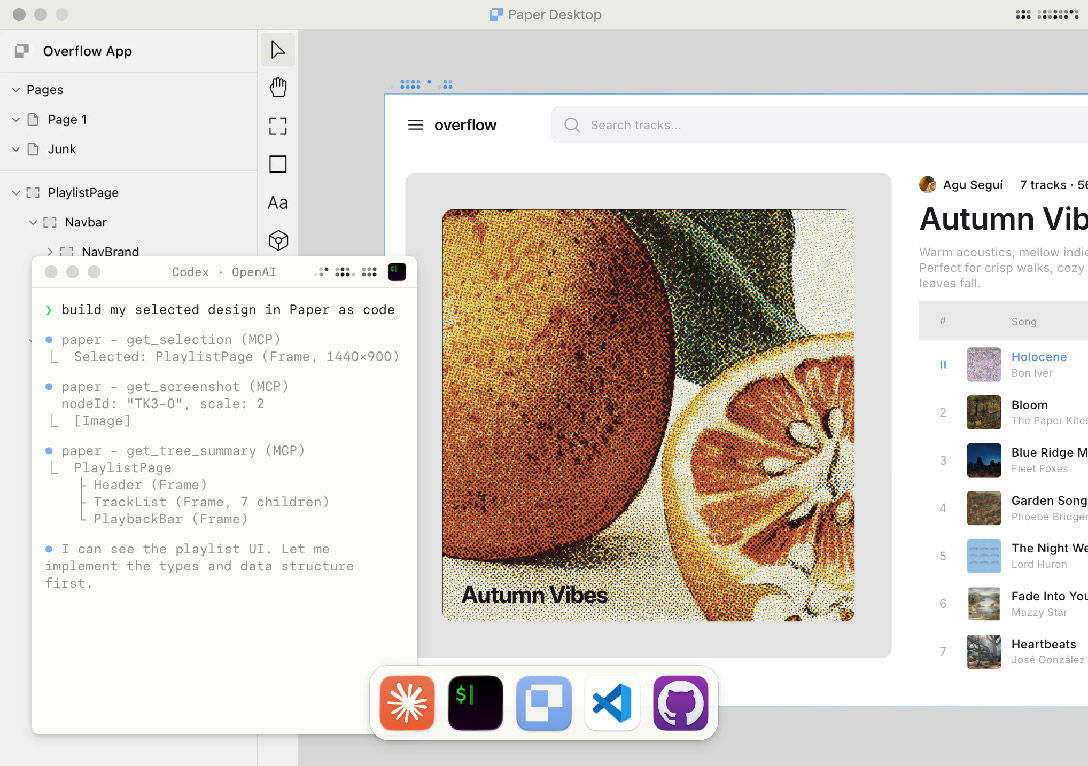
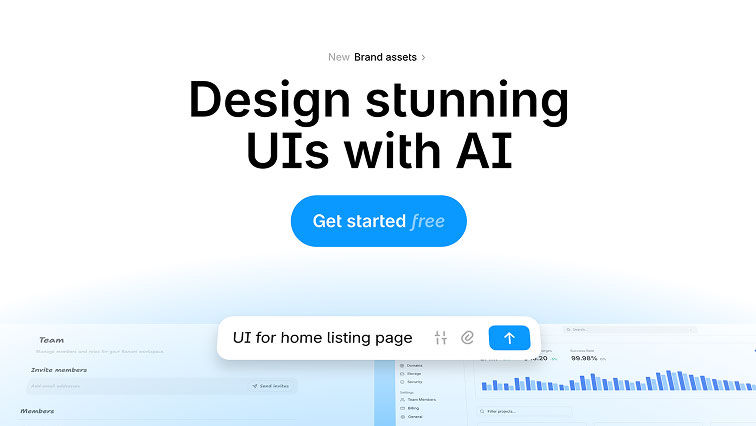
Paper rethinks the design workflow from scratch. Everything lives on a single canvas that connects directly to your apps, agents, and repos. What you design is actual code, so there is no handoff step because there is nothing to hand off. AI agents can read from and write to the canvas through a built-in MCP server, and live data connectors pull real content in while you work. A genuinely different way to go from idea to shipped interface.

Section Icon   ALSO ON THE RADAR

Tool icon

Efecto

An AI-native design tool from Pablo Stanley where humans and AI agents collaborate on real, shippable interfaces, side by side.

 
Tool icon

Tessera

A macOS and iPad app that turns shapes, images, and text into seamless repeating tile patterns with collision-aware placement.

 
Tool icon

Onlook

An open-source visual editor that connects to live codebases, letting designers drag real components and submit pull requests without writing code.

 
Tool icon

OpenPencil

An open-source, MIT-licensed Figma alternative that reads .fig files natively and includes 90+ AI-scriptable tools with a built-in MCP server.

Section Icon   SPOTLIGHT (PARTNER)

Banani

Banani

AI design tool to create beautiful, user-friendly and interactive designs.

Try for free →

Section Icon   A FEW READS & LISTENS

UX COLLECTIVE  ðŸ“– ARTICLE

Taste is not a feature

Argues that as AI handles more execution, a designer's ability to exercise judgment and taste becomes the real differentiator. A sharp reminder that design is about solving problems, not aesthetic preferences.


AI NEWS & STRATEGY DAILY  ðŸŽ¬ YOUTUBE

A Markdown File Just Replaced Your Most Expensive Design Meeting

Explores how a simple markdown spec replaced multi-hour design reviews by giving AI tools enough context to execute directly. A practical look at what coordination looks like when the design file becomes a prompt.


NN/G  ðŸ“– ARTICLE

GenUI vs. Vibe Coding: Who's Designing?

Draws a clear line between generative UI (where AI decides what to build) and vibe coding (where users prompt without specifying). A useful framework for understanding who actually makes design decisions in AI-assisted workflows.


UX COLLECTIVE  ðŸ“– ARTICLE

The design engineer symptom: what a rising job title reveals

Unpacks why the design engineer role is gaining traction and what it signals about the merging boundaries between design and development. Worth reading for anyone navigating where their role fits as tools converge.

Section Icon   UPDATES & NEWS

Figma opens its canvas to AI agents with a new MCP server and Skills framework

OpenAI shuts down Sora after six months, burning roughly $1M per day

Former Apple designer launches Hark, a new AI startup rethinking human-AI interaction

Claude Cowork now lets you assign tasks from anywhere on your Mac

Google relaunches Stitch with an infinite canvas, design agents, and instant prototyping

Linear introduces Linear Agent, bringing full workspace context to product decisions

Spline launches Omma, an AI canvas that turns prompts into interactive web experiences

Section Icon   ONE MORE THING ...

A THOUGHT WORTH SITTING WITH

"The design file is no longer a document. It is an API."

Figma just opened its canvas to AI agents. That single move reframes the design file from something a human edits to something machines can read, write, and act on. The implications go well beyond Figma.

PS: Shoutout to Sara Soltis, who sent me a list of browser-based creative tools I'd never seen before, including her own Bubble Shift Type Tool. That turned into a brand new category: Generative & Experimental Tools. If you're also sitting on bookmarks not yet listed on TOOOLS.design, hit reply and send them my way 🙌

Join 3,800+ designers getting the latest tools, reads, and listens, in times of AI.

A curated newsletter for UI/UX, product, and web designers. Also relevant if you work in brand, graphic or motion design with a digital focus. Covering the best new design tools & resources, AI updates, industry news, and ideas shaping the design world.